VirtualBankingExperienceforChildren.
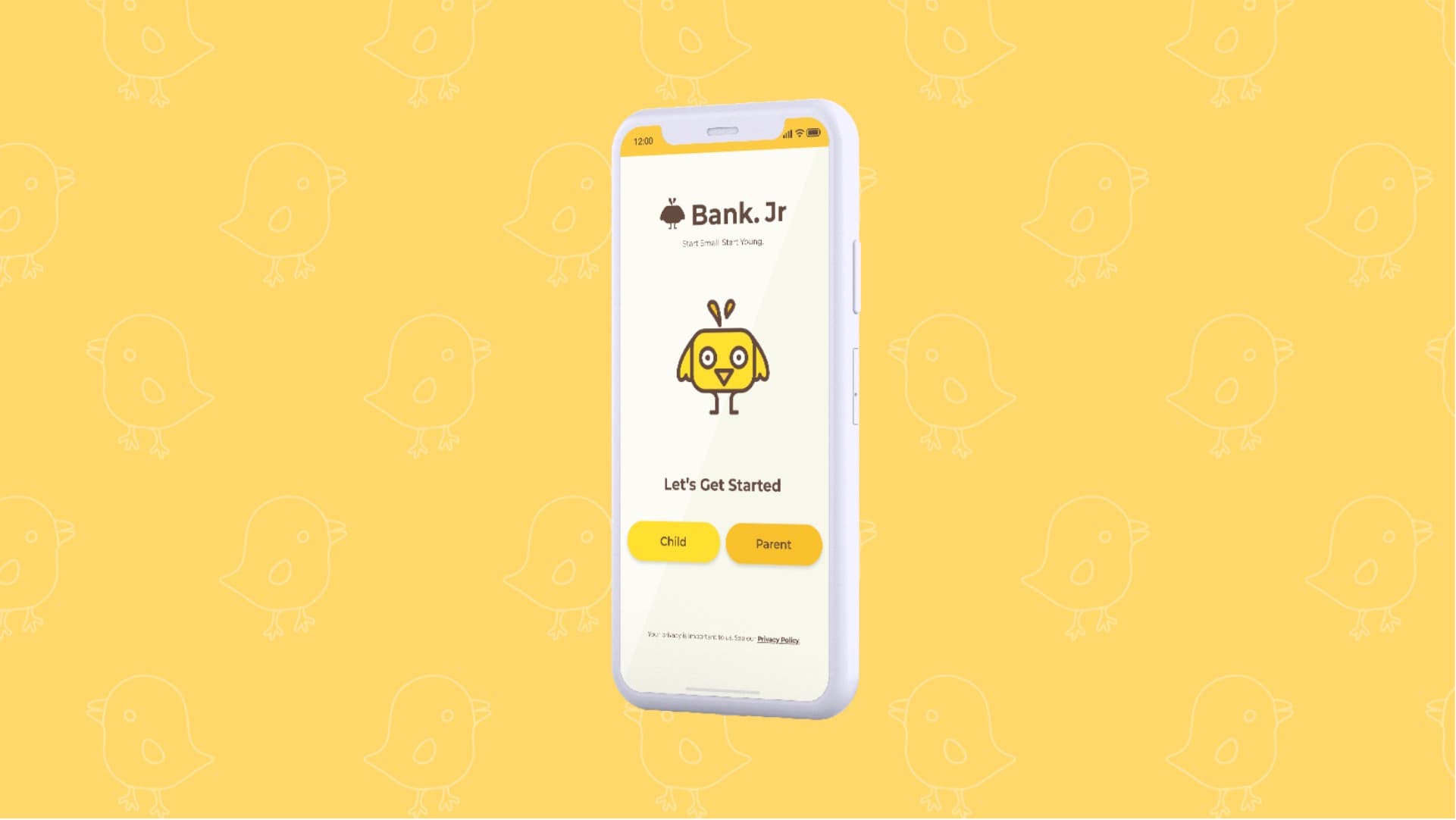
Overview
My Role
Product Design, UX Research, UI Visualisation
Methods
Competitive Analysis, User Research, Interaction & Visual Design, Prototyping
Tools
Adobe XD
Timeline
Jan 2021
Research
In order to build a product and experience revolving around digital technology, money and children, it's important to first understand about our target user behaviour. Spending and shopping online, transferring money using apps or computers may seem almost like second nature to us adults, but one may wonder how much exactly can a child comprehend and navigate around money and technology, especially in this day and age.
Financial Literacy
Many children receive a regular "income" in the form of 'pocket money' and thereby, many children's understanding of income is shaped by this cultural practice. Hence, there is already some form of exposure to the concept and value of money.
In fact, one study from the University of Cambridge found that
money habits in children were formed by the age of 7
Source: "Habit Formation and Learning in Young Children" by Dr. David Whitebread and Dr. Sue Bingham, University of Cambridge.
Children ages 8-12 exhibit new skills and thought patterns, and by the end of this developmental stage, they should achieve the milestone of logical thought, allowing them to understand the concept of cashless money transactions.
Tech Savviness
Today's young children are brought up exposed completely to technology, giving rise to the term "digital natives". Children aged 3-5 tend to spend around 4 hours per day with technology. Other age groups are showing an increase in the amount of time spent as well.
Statistics tell us that 45% of 8-11 year olds use social networking sites. Many parents admit to asking their children and teenagers for help with problems on their phones or tablets, and even younger children demonstrate remarkable skills with computers.
In research by Ofcom,
over 50% of children aged 6-15 responded that they are able to use and know a lot about apps on smartphones or tablets.
Source: "Tech-Savvy Toddlers: Why are Young Children So Good With Technology?", (February 2018) Southern Phone Co. Aus
Product Analysis
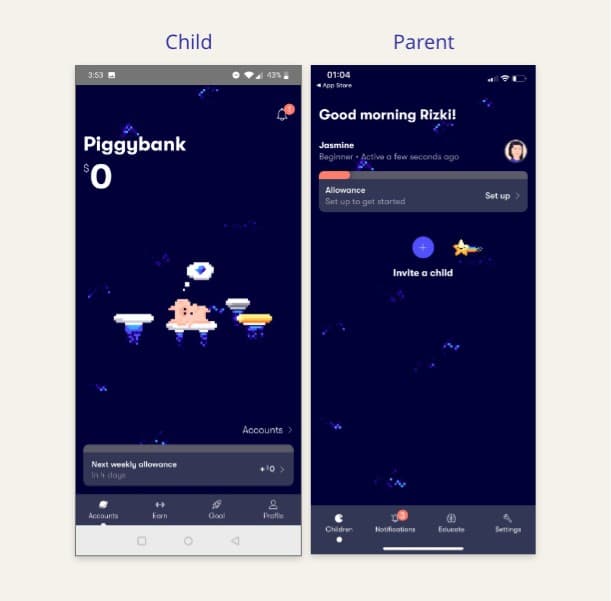
Gimi — Sweden
Gimi is an educational app that teaches children and young adults about money.
Pros:
Prepaid Card is available (MasterCard)
Very interactive with appealing visual designs and animations
Gamification via quizzes and achievements on financial education
Chore Request/Tracker available
Basic interactive Chatbot
Cons:
Limited currency options
UI can be a little complicated for younger children
Link to bank account unavailable
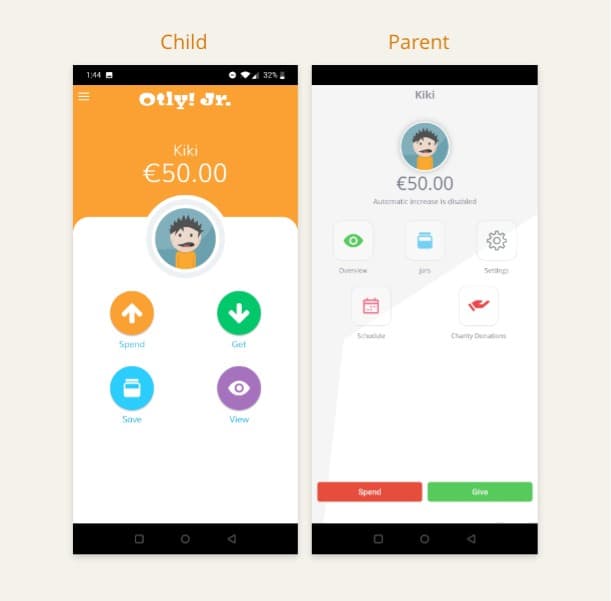
Otyl! Jr — Netherlands
Otly! is a free platform that modernizes the way families handle pocket money and teaches children the responsibilities that come with it.
Pros:
- Can link to bank account (only Parent access)
- Can purchase giftcards (only Parent access)
- Option to donate to charity
- Simple and clean UI, easy to navigate especially for younger children
Cons:
- Very limited currency options
- No Prepaid Card available
- No Chore Request/Tracker
- Child access and Parents access are in 2 separate app; Otly! Jr and Otly!
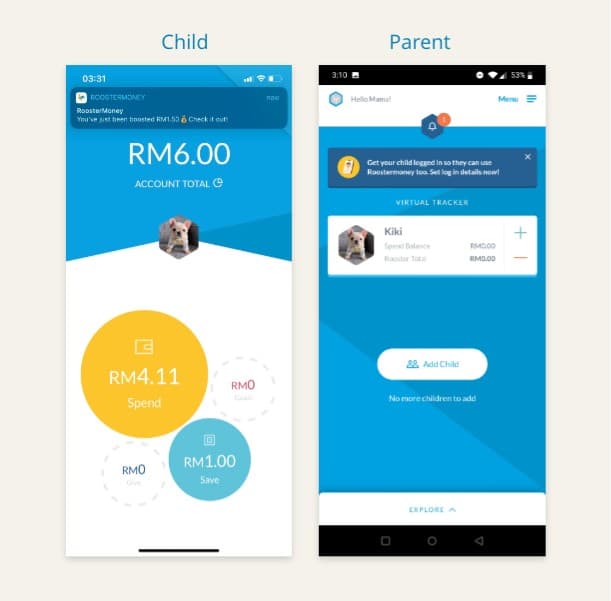
RoosterMoney — United Kingdom
RoosterMoney helps families keep track of pocket money and helps teach children to save responsibly.
Pros:
- Prepaid Card is available (Visa)
- Chore Request/Tracker (with PLUS plan)
- Nice and clean UI, easy to navigate
- Option to donate to charity
- Available in several different currency options including MYR
Cons:
- Link to bank account unavailable
- Spend, Save and Give pots can be a little confusing and redundant
- Additional charges to unlock Chore Request/Tracker feature
User Research
As this experience will be an introductory exposure to children on their first financial management learning, a lot of hand-holding from parents/guardian is to be expected. Also, as they are not adults yet, parent/guardian supervision and permission are legally required.
Hence, this experience is not limited to just children but also extends to those of parents and guardians as users.
User Persona

Arvind Daniel — 10 years old
Student (Primary 4)
Loves games and sports especially football
Gadgets | Laptop, Budget smartphone | ||
|---|---|---|---|
fav. apps | YouTube, PubG Mobile, TikTok | ||
pain points |
| ||
motivation |
|

Susan Tanuwijaya — 42 years old
Career Woman and Mother
Enjoys coffee and reading
gadgets | Laptop, Smartphone, Tablet |
|---|---|
Fav. apps | Grab, Lazada, Kindle, WhatsApp |
pain points |
|
motivation |
|
User Stories
User | Story | Acceptance Criteria |
|---|---|---|
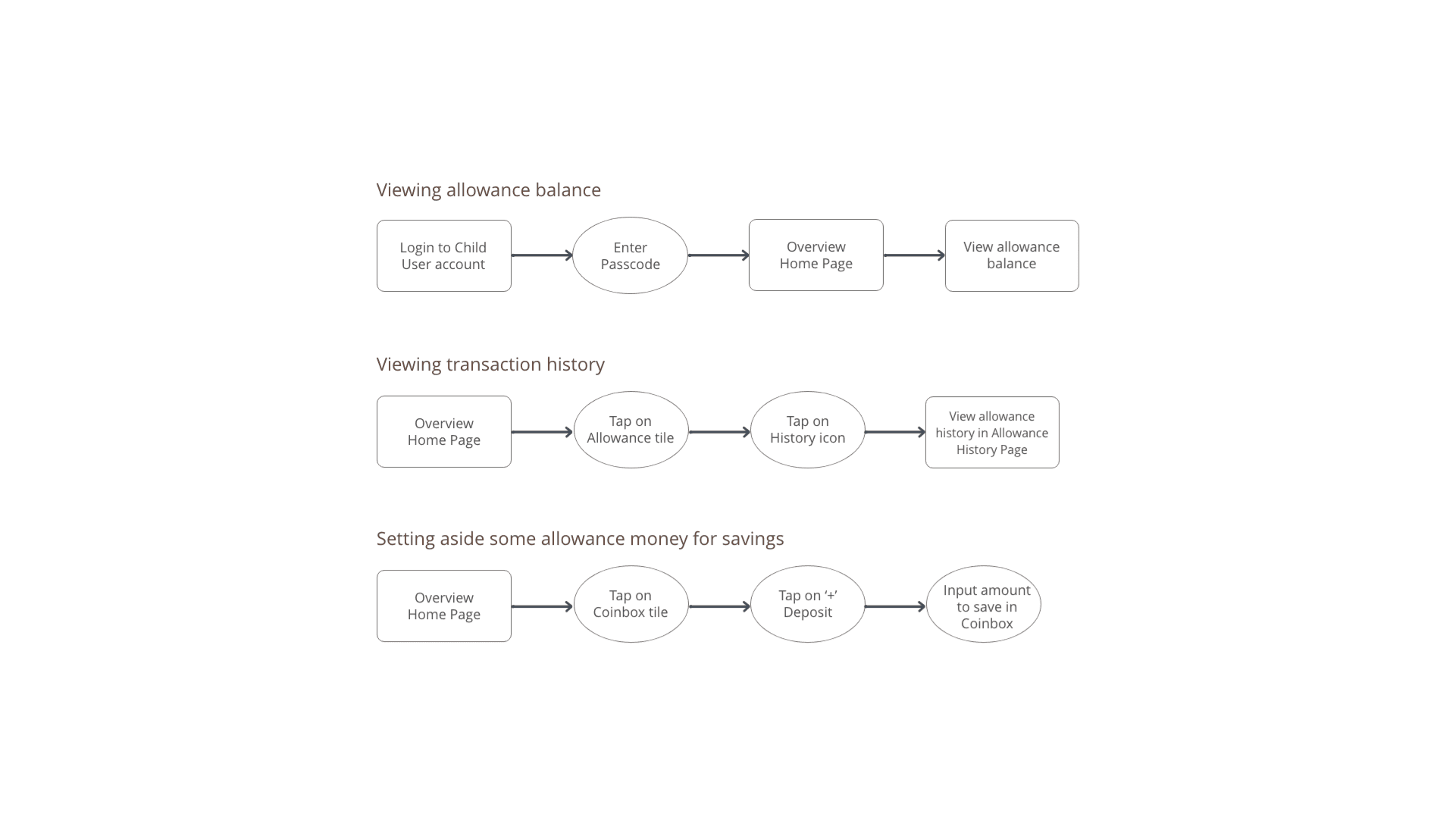
Child | As a child, I want to see how much allowance I have | View balance on home screen |
Child | As a child, I want to save money for things I want | Transfer money to savings/coinbox |
Child | As a child, I want to spend money independently | Use prepaid card for purchases |
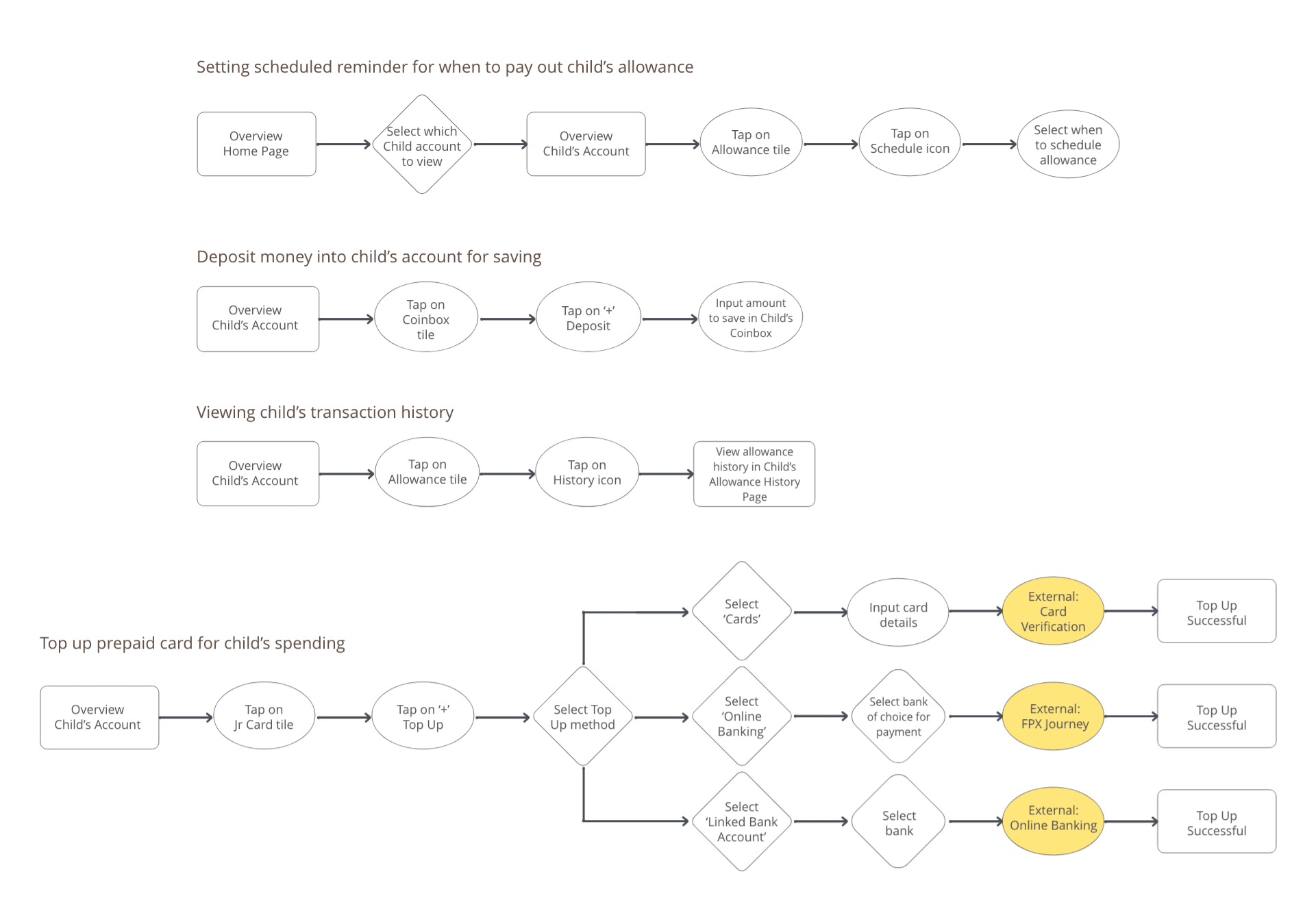
Parent | As a parent, I want to give my child allowance regularly | Set up scheduled allowance payments |
Parent | As a parent, I want to track my child's spending | View transaction history |
Parent | As a parent, I want to control how much my child can spend | Set spending limits and top up prepaid card |
Ideation & Concept
After studying the user personas and stories, analysing their pain points and goals, I came up with several ideations for features that would address their needs. I will be highlighting 3 major features for the purpose of this case study.
Allowance
- Serve as some sort of a virtual wallet placeholder
- Child can independently set aside some fund from Allowance into Coinbox as savings
- Keeps track of child's spending as well as savings
- Parent user will be able to set scheduled reminder for allowance payout day
- Parents will have access to all 3 features and can deduct/add funds
- Parents will receive notifications whenever there is activity or transaction in app
Coinbox
- Serve as a virtual piggybank/coinbox placeholder for savings
- Child can track how much they've saved in their Coinbox
- Child can withdraw from Coinbox should they wish to use the money with Parents' supervision
- Parent can also directly deposit money into Child's Coinbox to boost their savings
Prepaid Card
- Training wheels for children in card spending! Children can learn financial responsibility by spending using cards without the burden of debts
- Only Parent may top up a preferred amount of credit into the linked prepaid card via online banking in app. Child's Card account will then be updated instantly
- Parents can limit spending by depositing only a certain amount
- Children can have some degree of independence and control of their own spending
User Flow
Child User Flow
Parent User Flow
Wireframe
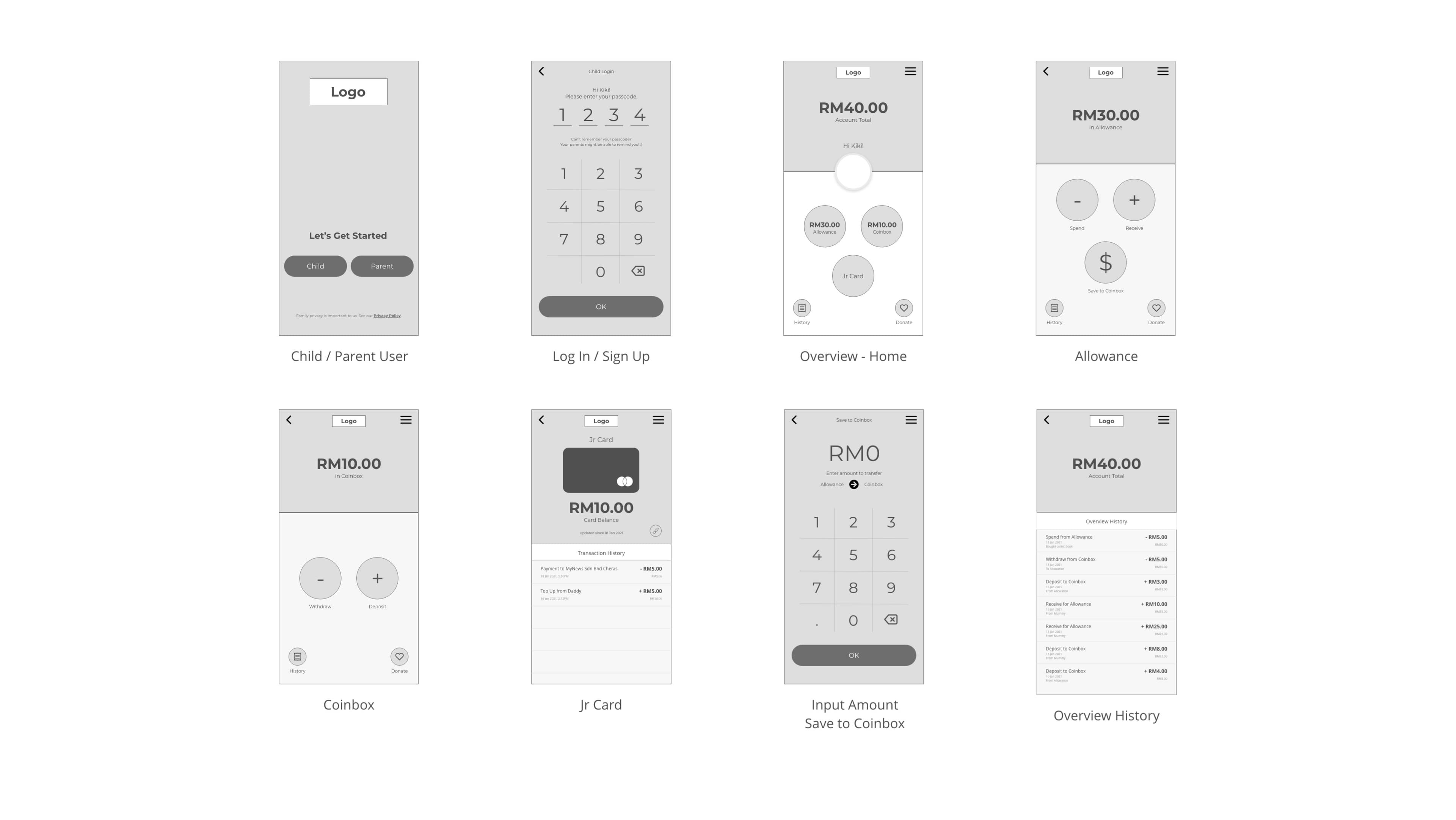
Child User Wireframe
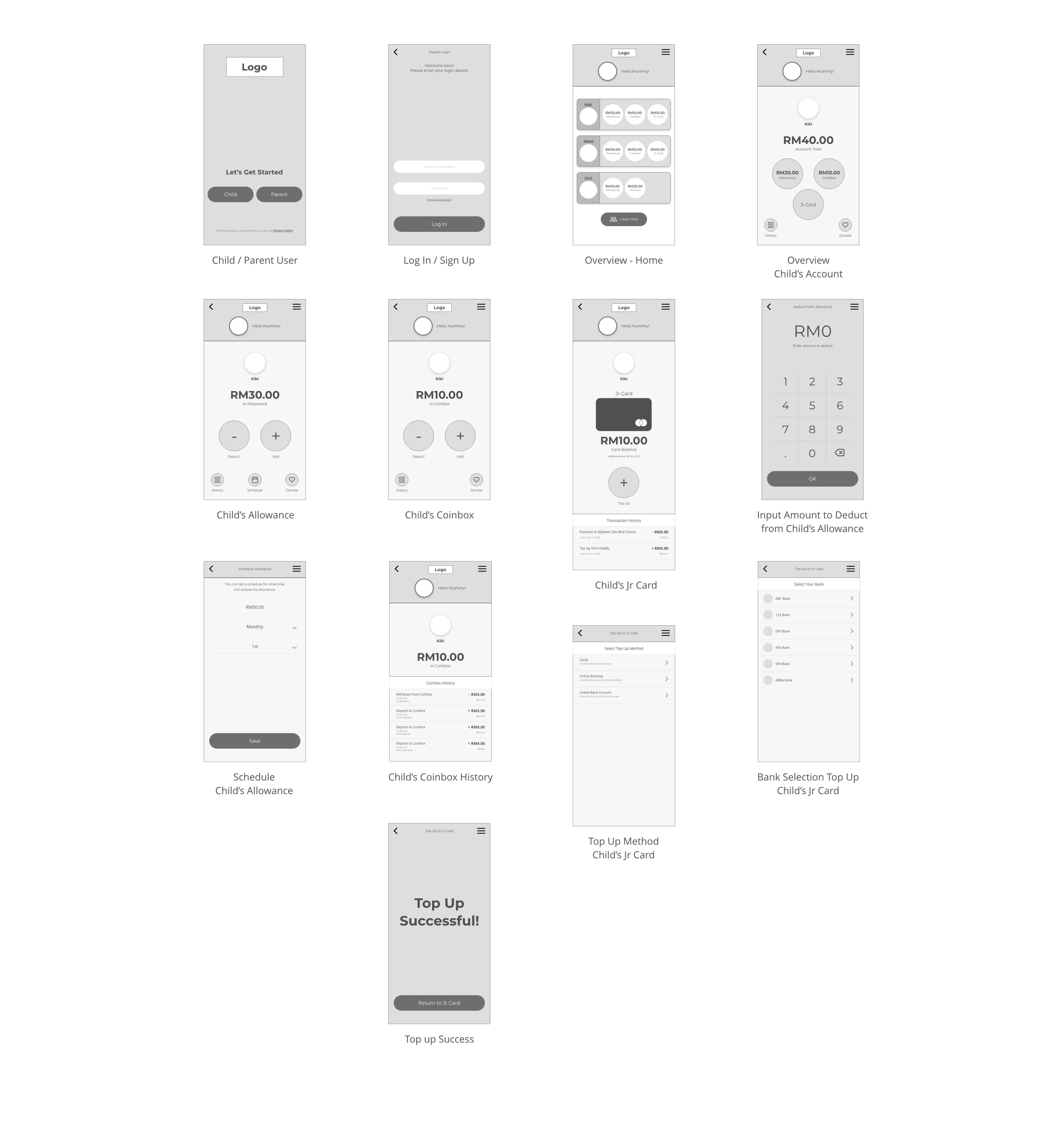
Parent User Wireframe
Hi-fidelity
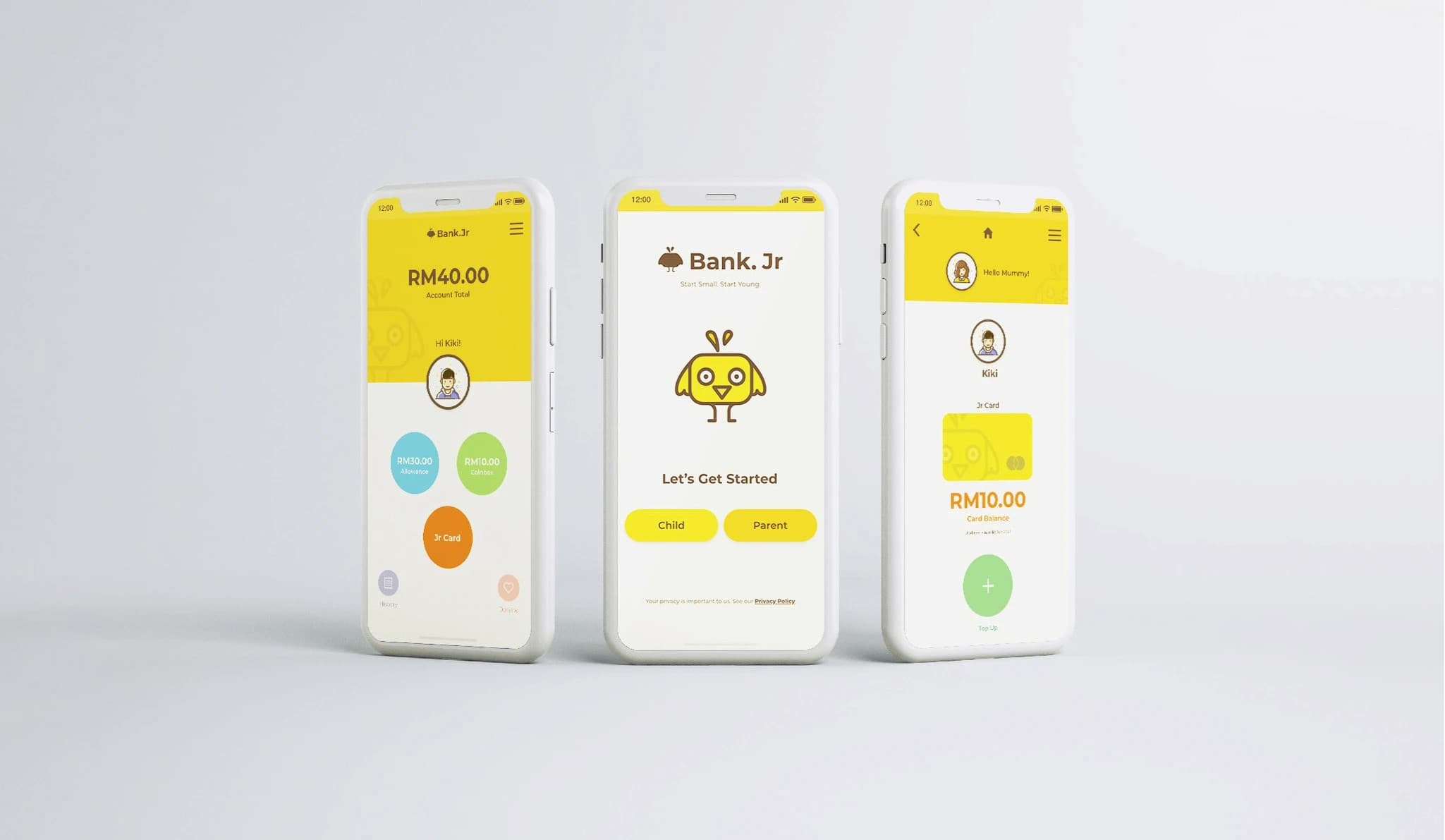
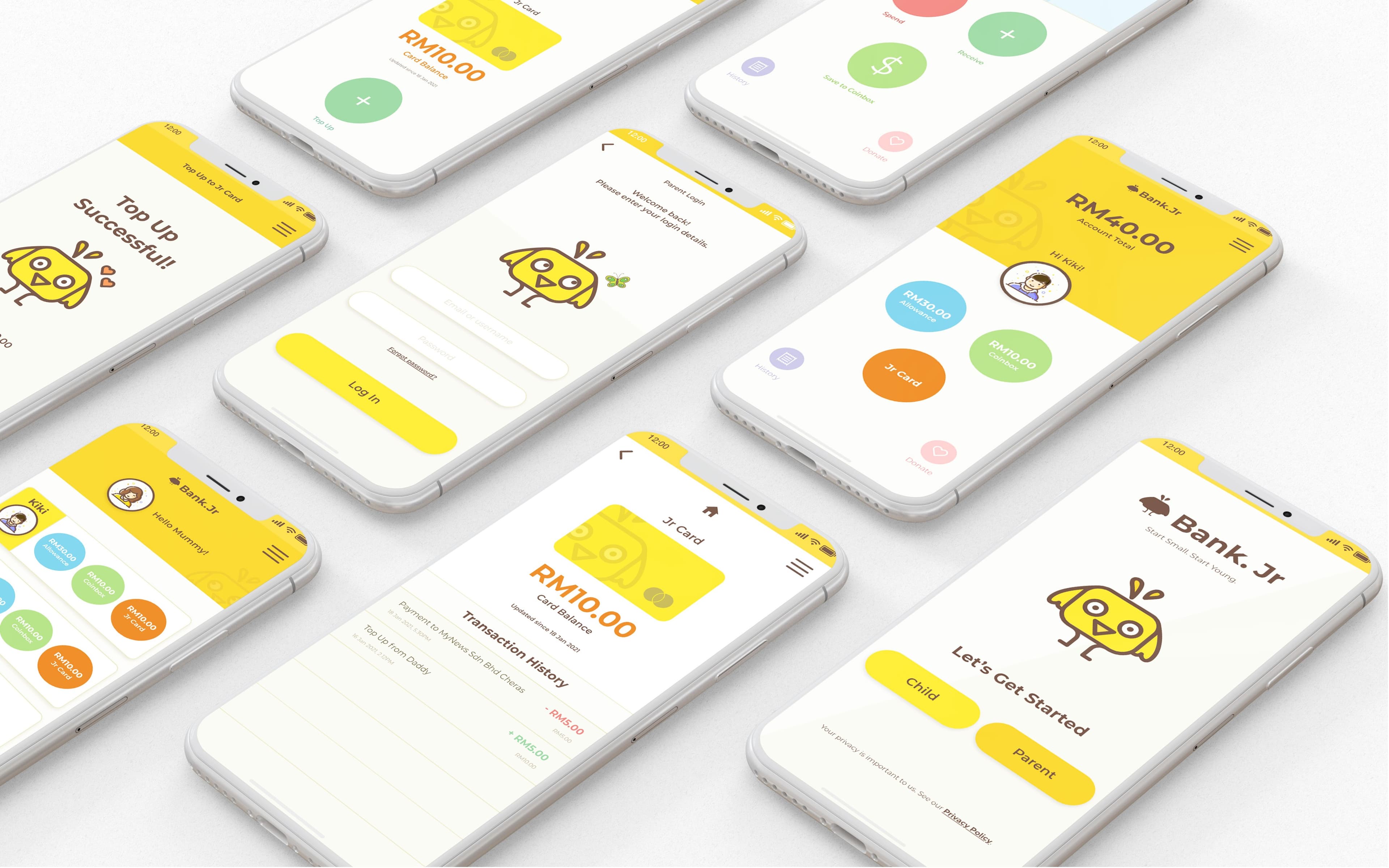
Prototype
Appendix
- "Habit Formation and Learning in Young Children" - May 2013, Dr. David Whitebread and Dr. Sue Bingham, University of Cambridge
- "Educating Your Children on Finances" - Legends Banks, US
- "Tech-Savvy Toddlers: Why are Young Children So Good With Technology?" - February 2018, Southern Phone Co. Australia
- "Exposure and Use of Mobile Media Devices by Young Children" - September 2015, Pediatrics
- "Kids Will Be More Tech-Savvy Than Their Parents by the Time They Are 10 Years Old" - October 2020, VTech
Interested in working together?